
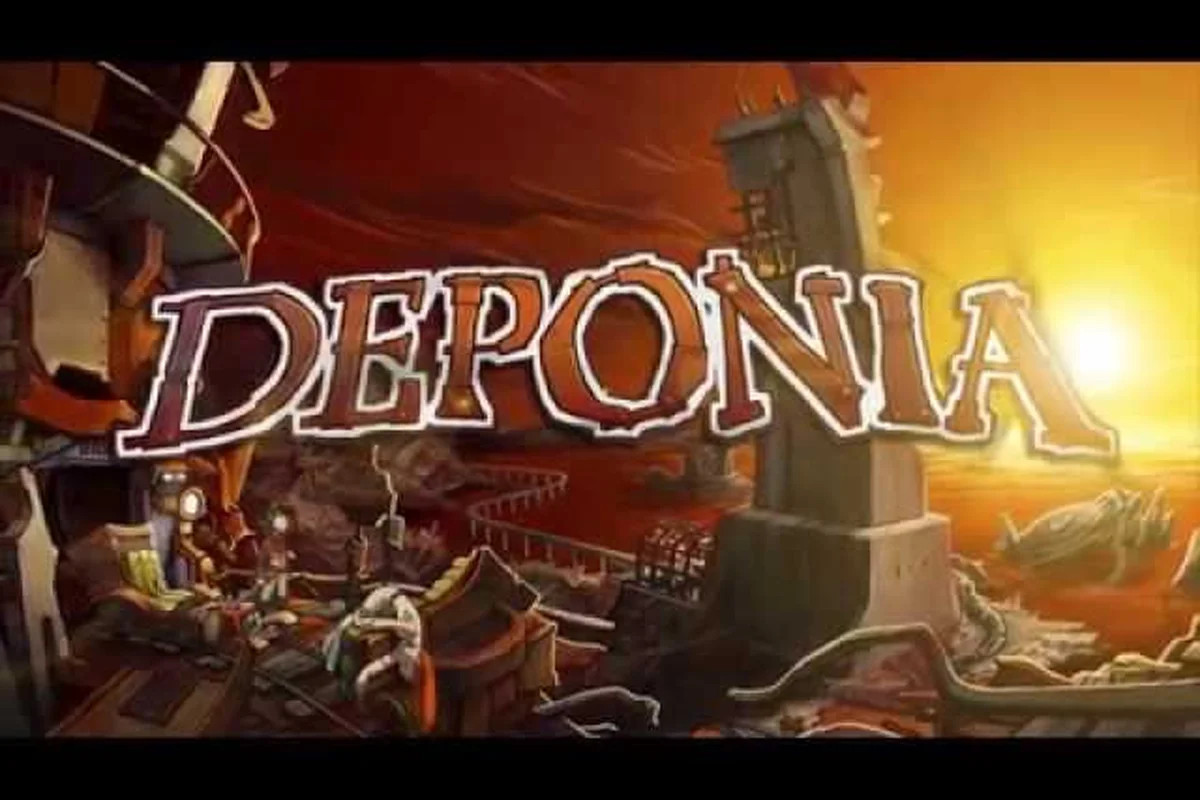
Deponia is a hand-drawn point and click adventure that throws you into the role of Rufus, a scheming junk-dweller desperate to escape the trash planet he calls home. The core loop is classic adventure gameplay: left-click to use or talk, right-click to examine, combine inventory items, and hold the middle mouse button to reveal the hint system that highlights interactive hotspots. Understanding these mechanics matters because Deponia's puzzles are notoriously challenging, and knowing how to navigate the interface efficiently separates a smooth playthrough from hours of frustrating pixel-hunting. Get the essential control schemes and item-management strategies before you start exploring Kuvaq. notoriously challenging, and knowing how to navigate the interface efficiently separates a smooth playthrough from hours of frustrating pixel-hunting. Get the essential control schemes and item-management strategies before you start exploring Kuvaq, and if you’re still unsure about the game’s core mechanics, our Deponia Beginner Guide walks through the same early-game pitfalls so you can skip the trial-and-error entirely.
Mastering the Deponia Point and Click Control Scheme
The Deponia point and click interface follows the golden-era adventure template, but it has a few quirks that new players often miss. The game was released by Daedalic Entertainment on August 6, 2012, and its control scheme reflects the studio's commitment to traditional genre conventions while adding modern conveniences. According to the official Deponia page on Steam, the core interaction model revolves around three primary mouse actions that map to distinct verbs, and mastering them is the foundation of everything else you will do in the game.
Primary Mouse Actions and Their Functions
The left mouse button serves as your universal action button, letting you talk to characters, pick up objects, and activate switches. The right mouse button triggers the examine verb, which provides Rufus's witty commentary on nearly everything you encounter. The middle mouse button, which many players overlook, activates the Deponia hint system that highlights all interactive hotspots on the current screen with subtle glowing markers.
| Mouse Action | Function | Best Used For |
|---|---|---|
| Left Click | Use, talk, pick up, activate | Interacting with characters and objects |
| Right Click | Examine, inspect | Getting Rufus's commentary and puzzle clues |
| Middle Click (Hold) | Hint system, hotspot highlight | Finding hidden interactive elements |
| Double Left Click | Quick travel (on map screens) | Moving between locations faster |
| Scroll Wheel | Zoom in/out (in some scenes) | Getting a closer look at detailed areas |
The hotspot highlight system is a lifesaver when you are stuck, because it reveals objects that blend into the hand-painted backgrounds. Deponia's art style is dense and detailed, which means interactive elements can hide in plain sight among the scrap heaps and mechanical debris. The hint system costs nothing to use, so do not feel guilty about holding the middle mouse button frequently during your first playthrough.
Keyboard Shortcuts That Speed Up Exploration
While the game is fully playable with just a mouse, several keyboard shortcuts streamline the experience. The Escape key opens the menu where you can save, load, and adjust settings, while the spacebar skips dialogue lines when you have already read them. The F5 key performs a quick save, which is invaluable before attempting risky puzzle solutions that might lock you into a failed state.
| Shortcut | Action | When to Use It |
|---|---|---|
| F5 | Quick save | Before trying any puzzle solution |
| F9 | Quick load | After a failed puzzle attempt |
| Spacebar | Skip dialogue | On repeat playthroughs |
| Escape | Open menu | Accessing options and save files |
| Enter | Confirm selection | Navigating menu screens |
Experienced players recommend saving before every major interaction because some dialogue choices and item combinations lead to dead ends or comedic failure states. The game autosaves at chapter transitions, but relying on that safety net means losing potentially thirty minutes of progress if you make a wrong move. The quick save system exists precisely for this reason, and using it liberally transforms the Deponia point and click experience from frustrating to genuinely enjoyable.
How to Use Items in Deponia: Inventory Mechanics Explained
The inventory system in Deponia is straightforward but hides several layers of depth that the game never explicitly teaches you. Every item Rufus collects appears in the inventory bar at the bottom of the screen, and interacting with them requires understanding the deponia how to use items workflow that governs all puzzle solutions. The key insight is that items rarely work alone; most puzzles require combining two or more inventory objects or using an item on a specific environmental hotspot.
The Complete Deponia Inventory Guide for New Players
Your inventory serves as both a storage space and a puzzle-solving tool, and the game expects you to experiment freely with combinations. To use an item, left-click it to pick it up, then click on a character, object, or another inventory item to attempt an interaction. If the combination is valid, Rufus performs the action; if not, he delivers a humorous line that often hints at what you should try instead.
| Inventory Action | How to Perform It | Common Use Case |
|---|---|---|
| Use item on object | Click item, then click object | Applying tools to environmental puzzles |
| Combine two items | Click item, then click another item | Creating new tools or devices |
| Use item on character | Click item, then click a character | Giving items to NPCs |
| Examine item | Right-click the item | Reading descriptions for puzzle hints |
| Drop item | Drag item out of inventory | Discarding useless objects |
The combination system is where most players get stuck, because the game rarely tells you which items pair together. A good rule of thumb is that if an item has moving parts, a container, or an obvious attachment point, it probably combines with something else. The deponia inventory guide approach that works best involves systematically testing every item against every other item when you feel stuck, since the game rewards experimentation with both puzzle progress and comedic dialogue.
Understanding Item States and Transformations
Some items change state after being used, transforming from one form to another or becoming consumed entirely. This matters because you might need to use an item in one location, then retrieve the transformed version for a later puzzle. The game tracks these state changes in your inventory, and the item icon updates to reflect its current form.
-
Consumable items disappear after use, so think carefully before burning through limited resources.
-
Transformable items change into new objects that serve different purposes in later puzzles.
-
Combined items merge into a single inventory slot, freeing up space for new acquisitions.
-
Quest items remain in your inventory until their specific puzzle is solved, then vanish.
Paying attention to item descriptions is crucial because Rufus often comments on an item's potential uses when you examine it. These contextual hints are the game's way of steering you toward the correct solution without breaking the fourth wall. When you combine items, the game plays a short animation and Rufus delivers a line that confirms whether the combination was successful or not.
The Deponia Hint System: When and How to Use It
The Deponia hint system is one of the most player-friendly features in the genre, because it provides assistance without completely solving puzzles for you. Holding the middle mouse button highlights interactive hotspots, but the system goes further by offering contextual hints based on your current inventory and progress. Understanding how to leverage this system effectively can cut your playtime significantly while preserving the satisfaction of solving puzzles yourself.
How the Hint System Works
The hint system operates on a graduated scale, providing more specific guidance the longer you hold the button. Initially, it simply highlights all interactive objects on screen with a subtle glow. If you continue holding, the game begins to pulse the glow on objects that are relevant to your current objective, and eventually it will show a brief text hint about what you should be doing.
| Hint Level | What You See | When to Use It |
|---|---|---|
| Level 1 | All hotspots highlighted | General exploration and pixel-hunting |
| Level 2 | Relevant objects pulse | When you know the objective but not the solution |
| Level 3 | Text hint appears | When you are completely stuck |
| Level 4 | Direct solution shown | As a last resort before looking up a walkthrough |
The graduated system means you control how much assistance you receive, which is perfect for players who want a gentle nudge rather than a full solution. Community reports suggest that most players use the hotspot highlight feature constantly, while reserving the text hints for genuinely difficult puzzles that resist logical solutions. The system never penalizes you for using it, so there is no reason to struggle in silence.
Strategic Hint Usage for Challenging Puzzles
Using the hint system strategically requires understanding when your reasoning has hit a wall versus when you simply need more information. If you have explored a screen thoroughly and know your objective but cannot figure out the mechanism, the hint system can reveal an object you overlooked. If you have no idea what the objective even is, the text hint will clarify what you should be working toward.
The puzzle difficulty curve in Deponia ramps up significantly in the later chapters, and even experienced adventure gamers report getting stuck on several puzzles. The hint system exists precisely because the developers knew their puzzles were challenging, and they wanted players to experience the story without giving up in frustration. According to player experiences shared across adventure gaming communities, the hint system strikes the right balance between assistance and challenge, making it a model for other games in the genre.
Deponia Dialogue Guide: Conversation Choices and Consequences
Dialogue in Deponia is more than flavor text; it shapes how characters perceive Rufus and can unlock alternative solutions to puzzles. The deponia dialogue guide approach that works best involves paying attention to each character's personality and responding accordingly, because the game tracks your choices and references them later. While the main story path remains linear, dialogue choices affect which optional scenes you see and how certain characters treat you.
Dialogue Options and Their Impact
Every conversation presents multiple response options, and the game rarely labels them as good or bad. Instead, each choice reflects a different aspect of Rufus's personality: sarcastic, sincere, manipulative, or clueless. The game rewards consistency in your roleplaying, because characters remember how you treated them and respond accordingly in later encounters.
| Dialogue Approach | Character Response | Best Used With |
|---|---|---|
| Sarcastic | Defensive or amused | Bozo, Lotti, and other comic characters |
| Sincere | Open and cooperative | Goal, Doc, and sympathetic characters |
| Manipulative | Suspicious or impressed | Cletus, the Organon, and authority figures |
| Clueless | Confused or exasperated | Any character, for comedic effect |
The conversation system also includes optional dialogue branches that provide background lore about Deponia's history and the floating city of Elysium. Exploring these branches is worthwhile for world-building, even though they rarely affect puzzle solutions. Some characters will only share important information if you have asked the right questions in previous conversations, so thorough dialogue exploration is part of the deponia point and click experience.
Using Dialogue to Solve Puzzles
Several puzzles in Deponia require you to extract information from characters through conversation, and the game tests whether you were paying attention to what they said. A character might mention that a certain machine needs a specific fuel type, or that a guard is afraid of a particular animal, and you need to use that information to solve a later puzzle. The dialogue-driven puzzle design rewards attentive players who treat conversations as gameplay rather than filler.
-
Information gathering is the primary purpose of most conversations, so always exhaust every dialogue option.
-
Character reactions can reveal whether you are on the right track with a puzzle approach.
-
Repeated conversations sometimes unlock new options after you have progressed elsewhere.
-
Gift-giving requires knowing what each character wants, which you learn through dialogue.
The game also includes several dialogue-based puzzles where you must choose the correct response in a conversation to achieve a specific outcome. These sequences require you to read the situation carefully and select responses that align with what the character wants to hear, rather than what you might naturally say. The deponia dialogue guide strategy that works best is to save before major conversations and experiment with different responses to see how characters react.
Practical Tips for Navigating Deponia's Point and Click Puzzles
Beyond the basic controls and inventory mechanics, several practical strategies will improve your experience with the Deponia point and click gameplay. These tips come from community experience and cover the common pitfalls that trip up new players, from missing hidden objects to misunderstanding puzzle logic. The game rewards systematic exploration and creative thinking, and approaching it with the right mindset makes all the difference.
Systematic Exploration and Note-Taking
Deponia's hand-drawn environments are packed with detail, and interactive objects are not always obvious. The hotspot highlight system helps, but developing a systematic exploration habit ensures you do not miss anything. When you enter a new screen, hold the middle mouse button to reveal all hotspots, then examine every one of them before moving on.
| Exploration Step | What to Do | Why It Matters |
|---|---|---|
| Scan the screen | Hold middle mouse to highlight hotspots | Reveals hidden interactive objects |
| Examine everything | Right-click every hotspot | Provides clues and comedic commentary |
| Talk to everyone | Exhaust all dialogue options | Gathers information and unlocks options |
| Check your inventory | Review items after each interaction | Tracks what you have and what you need |
| Save frequently | Use F5 before major actions | Prevents losing progress to failed attempts |
Taking notes is another habit that pays off, especially for puzzles that require remembering information from earlier in the game. The note-taking strategy involves writing down character names, locations, and any clues you discover, because the game does not provide a quest log or objective tracker. This is a deliberate design choice that harkens back to classic adventure games, but it means you need to keep your own records.
Common Puzzle Logic Patterns
Deponia's puzzles follow several recurring logic patterns that become easier to recognize with experience. The inventory combination pattern involves combining two items to create a third item that solves a puzzle. The environmental interaction pattern requires using an item on a specific location in the environment, often in a sequence of multiple steps. The dialogue trigger pattern involves learning information from one character and using it to unlock a response from another.
-
Chain puzzles require using the result of one puzzle as the input for the next puzzle.
-
Timing puzzles require performing actions in the correct order or within a time window.
-
Disguise puzzles require dressing up or impersonating someone to gain access.
-
Transportation puzzles require figuring out how to move between locations.
Recognizing these patterns helps you approach unfamiliar puzzles with a framework for potential solutions. When you are stuck, ask yourself which pattern the current puzzle likely follows, then test solutions that fit that pattern. The deponia puzzle logic is internally consistent, which means solutions always make sense once you understand the underlying rules of the game world.
Frequently Asked Questions
What is the best way to use the Deponia hint system?
Hold the middle mouse button to highlight all interactive hotspots on the current screen. Continue holding to receive progressively more specific hints, starting with pulsing relevant objects and ending with a text hint about your objective. The system never penalizes you, so use it whenever you feel stuck.
How do I combine items in my inventory?
Click an item in your inventory to pick it up, then click another item to attempt a combination. If the combination is valid, Rufus will perform the action and the items will merge into a new object. If not, he will make a humorous comment that often hints at what you should try instead.
Can I skip dialogue in Deponia?
Yes, press the spacebar to skip through dialogue lines you have already read. This is especially useful on repeat playthroughs when you want to move quickly through conversations you have seen before. The game also allows you to skip entire cutscenes from the menu if you prefer.
Does the game autosave my progress?
Deponia autosaves at chapter transitions, but you should use the F5 quick save function regularly to protect against losing progress. Save before attempting any puzzle solution, since some actions can lead to failure states that require reloading. The quick save system is your best protection against frustration.
Are there multiple solutions to puzzles?
Most puzzles have a single intended solution, but some dialogue choices and item combinations have alternative outcomes that lead to different comedic scenes. The main story path remains the same regardless of your choices, but exploration and experimentation reveal additional content and humorous interactions throughout the game.